Resident portal
A calmer, clearer way to stay connected with your society.
Submit maintenance payments with proof, view community numbers, and keep records transparent for every household.
- Secure submissions
- Quick review
- Official receipts


Built for residents and the governing body
One place to share society highlights, keep numbers visible, and route UPI payment proofs to the committee for verification—without chasing paperwork.
Community first
Transparent stats and a single channel for maintenance updates.
Verified payments
Upload your UPI screenshot; the committee approves and issues a receipt.
Privacy aware
Submissions are reviewed only by authorised governing members.
Clear records
Approved entries are stored by house and billing period for reporting.
At a glance
Society statistics
Maintenance
UPI payment submission
Fill in your details, attach the UPI screenshot, and choose the month you are paying for. The governing body will verify and approve your entry.
- 1 Complete the form with accurate house and transaction details.
- 2 Upload a clear screenshot of the successful payment.
- 3 Wait for committee review; you will see confirmation after approval.
Payment details
Haven't made the payment yet? View the QR code and pay first.
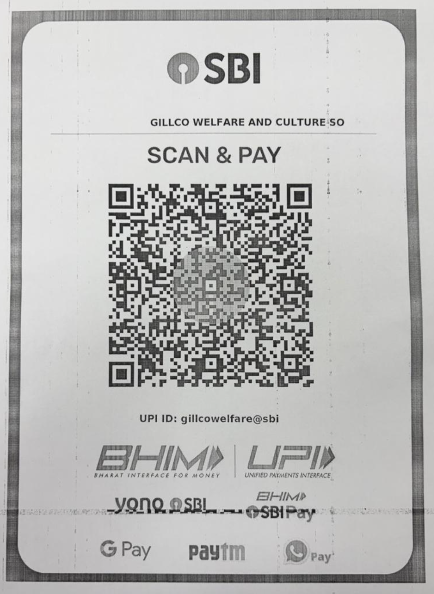
Scan this QR code in any UPI app, complete payment, then submit the form below.